“Wait, why isn’t my Google Maps working?”
That was the first sentence I uttered after landing at Incheon Airport. I stood there with two heavy suitcases, staring at a map that refused to show me a walking path. It was my first “welcome to Korea” moment. I realized very quickly that the digital world here operates on a different frequency.
Over the next few weeks, I transformed from a confused tourist into a savvy local, all thanks to a specific set of apps. I’ve navigated the intricate Seoul subway, ordered fried chicken to a park at 11 PM, and translated menus that looked like art. If you want to skip the “lost and frustrated” phase and go straight to “pro traveler,” this guide is for you. 😊
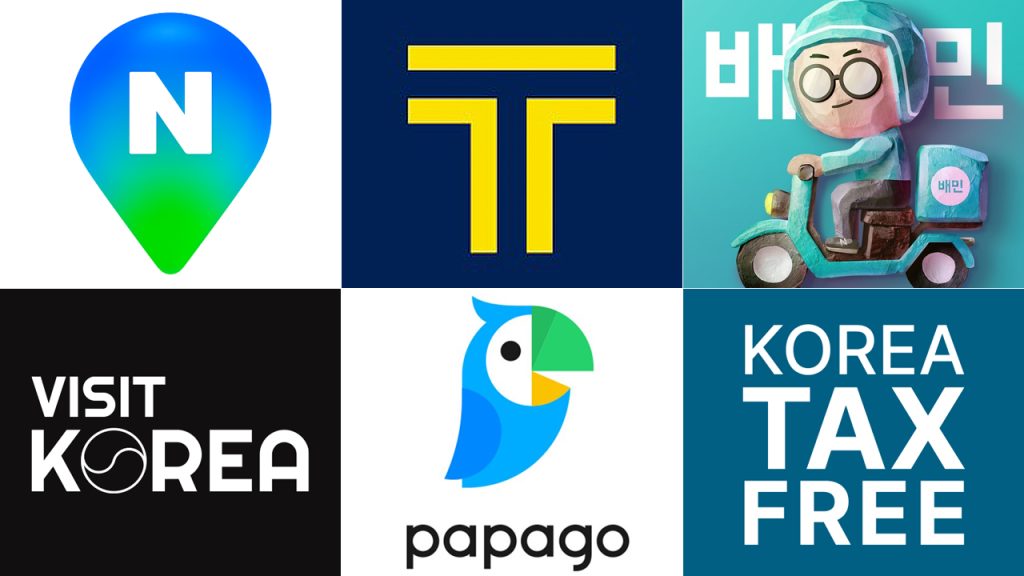
The Digital Survival Kit: Quick Comparison 📊
Before we dive into the details, here is a snapshot of the heavy hitters. These are the apps I used every single day without fail.
| App Name | Main Use | Language | My Rating |
|---|---|---|---|
| Naver Map | Navigation & Search | EN, JP, CN, KR | ⭐⭐⭐⭐⭐ |
| Kakao T | Taxi & Transit | English Support | ⭐⭐⭐⭐⭐ |
| Papago | AI Translation | Multi-lingual | ⭐⭐⭐⭐⭐ |
| Shuttle / Baemin | Food Delivery | EN (Shuttle) | ⭐⭐⭐⭐ |
I’ll be honest: Google Maps is practically a paperweight in Korea. Because of local security regulations, it doesn’t offer turn-by-turn walking directions. This is where Naver Map becomes your best friend.
During my first week, I tried to “rebel” and use Google Maps. I ended up walking in circles for 20 minutes looking for a hidden cafe in Ikseon-dong. Once I switched to Naver Map, I realized it shows everything—even which subway exit is closest to your target and which car of the train you should board to transfer faster.
– Download the app before you leave. Go to Settings > Language and set it to English.
– Even in English mode, some restaurant names are better found by their Korean names. Use Papago to translate the name, then paste it in!

2. Transportation: Hailing Taxis Like a Local 🚕
Have you ever tried to flag down a taxi in a busy Gangnam street? It’s stressful. Most taxis on the road are already reserved via apps. That’s why you need Kakao T.
The beauty of Kakao T is that you don’t have to speak a word of Korean to get to your destination. You type your destination in English, the app gives you an estimated fare, and a driver is dispatched. I’ve used it for late-night rides from Hongdae and even for booking larger “Venti” vans when I had too much shopping luggage for a standard sedan.
Some apps require a Korean phone number for full verification. I highly recommend setting up your Kakao T account before you arrive or ensuring your SIM card includes a local number if you plan to use in-app payments.
🧮 Cost vs. Convenience: A Real Scenario
Let’s say you are a group of 3 people traveling from Myeongdong to Gyeongbokgung Palace during rush hour.
- Option A (Subway): ~1,500 KRW per person. Total: 4,500 KRW. Fast, but crowded.
- Option B (Kakao T Taxi): ~7,000 – 9,000 KRW. Total: ~8,000 KRW. Private and direct.
My Verdict: For 3+ people, a taxi is often more cost-effective and saves your legs for the actual sightseeing!

3. Communication: Breaking the Language Barrier 🗣️
Forget everything you know about translation apps. In Korea, Papago is king. Since it’s made by Naver, it understands the nuances and “honorifics” of the Korean language much better than other global services.
My favorite feature? The Image Translation. When I sat down at a traditional barbecue joint with zero English on the menu, I just took a photo. Papago overlaid the English text right on top of the image. It even helped me translate the instructions on a pharmacy medicine bottle when I caught a cold!

4. Food & Lifestyle: Ordering Like a Boss 🍗
You haven’t truly experienced Korea until you’ve had “Chimaek” (Chicken and Beer) delivered to your accommodation. While Baedal Minjok (Baemin) is the local favorite, it can be tricky for tourists because it’s mostly in Korean.
For an easier experience, I recommend Shuttle Delivery. It’s fully bilingual and accepts international credit cards and PayPal. I used it multiple times in Seoul and Busan when I was too tired to go out. If you’re feeling adventurous, Baemin now allows some international card payments, but be prepared to use Papago to navigate the menus!

5. Official Resources: Visit Korea & Tax Free 🏛️
Lastly, don’t sleep on the Visit Korea app. It’s the official app from the Korea Tourism Organization. I found some great discount coupons for the Lotte World Tower and discovered a local festival in Jeonju that wasn’t mentioned on major travel blogs.
Also, keep ‘KTP – Korea Tax Free Payments’ handy. It helps you track your purchases and shows you exactly where the refund kiosks are at the airport. It saved me about $50 on my last trip just by being organized!
The “Don’t Forget” App Checklist
Frequently Asked Questions ❓
I hope this digital toolkit makes your trip as smooth as mine ended up being! Don’t let the technology intimidate you—once you have these apps, Korea feels like the most convenient place on earth. If you have any questions about specific features, drop a comment below! Safe travels! 😊
🇰🇷 Essential Official Websites for Traveling to Korea
Apply for Korea Electronic Travel Authorization (K-ETA)
and check official notices before entering Korea.
Official Korail website for international travelers.
Book KTX and other train tickets online.
Guide to KTX reservations, refunds, ticketing rules, and boarding procedures.
View Ticket GuideTicket types, eligibility, and terms for unlimited train travel in Korea.
Check Korail Pass
These buttons link to official tourism websites. They open in a new tab.